I was out on a run
I had just got back from a run. While I was out I had my phone in my hand and I was typing instructions to Claude Code, which was running on my computer at home because I had remote control switched on. It made the run go faster, and it meant the game kept moving while I was away from the desk.
That is the whole point of this article. You can build things now, and you do not have to be at your desk to do it.
What I am building
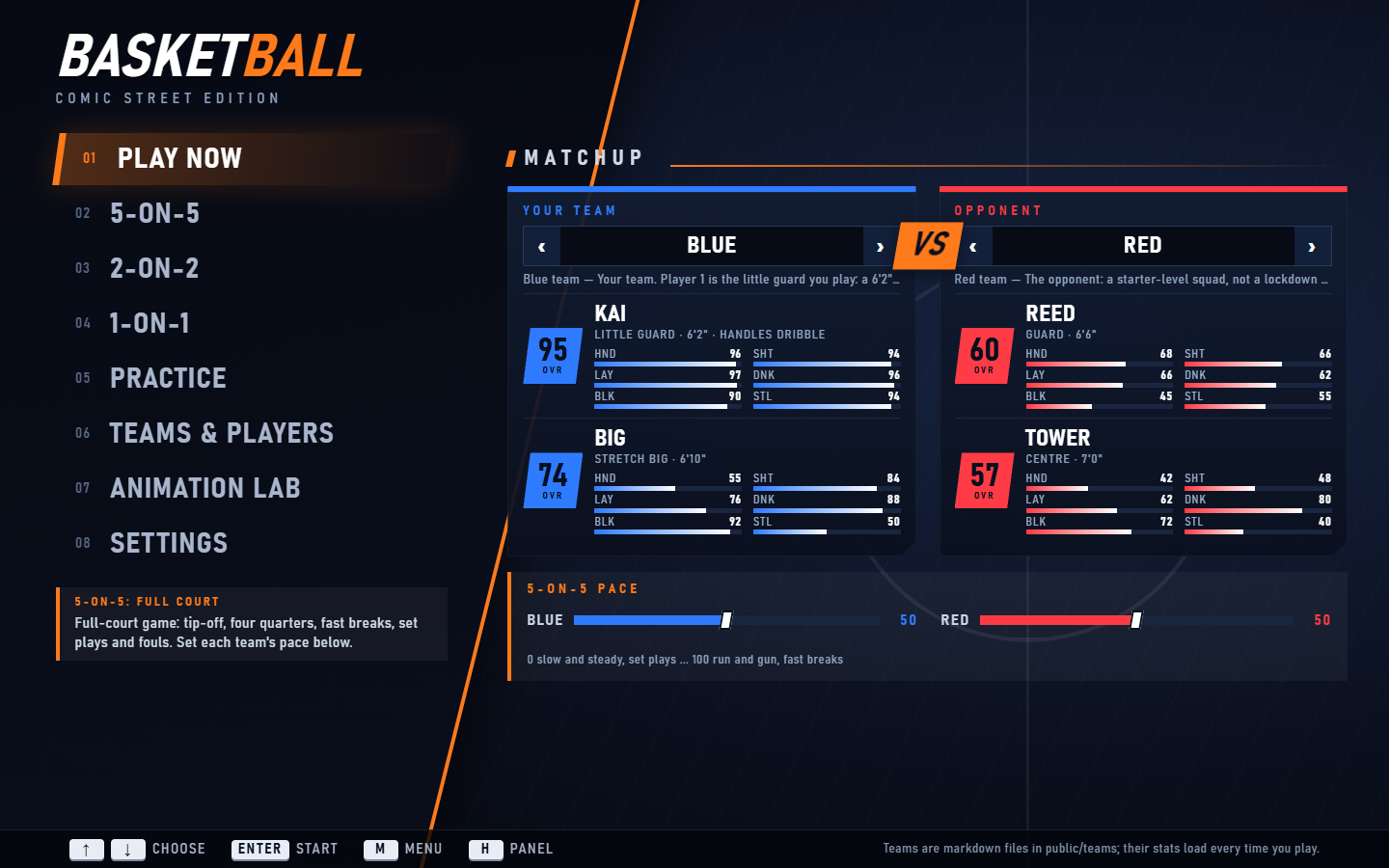
It is a basketball game with a comic-book look and an isometric camera. It runs in a normal web browser. I am a big NBA fan, so I wanted something with the feel of a console basketball game: full-court 5-on-5, 1-on-1, practice, and menus that look like the real thing.
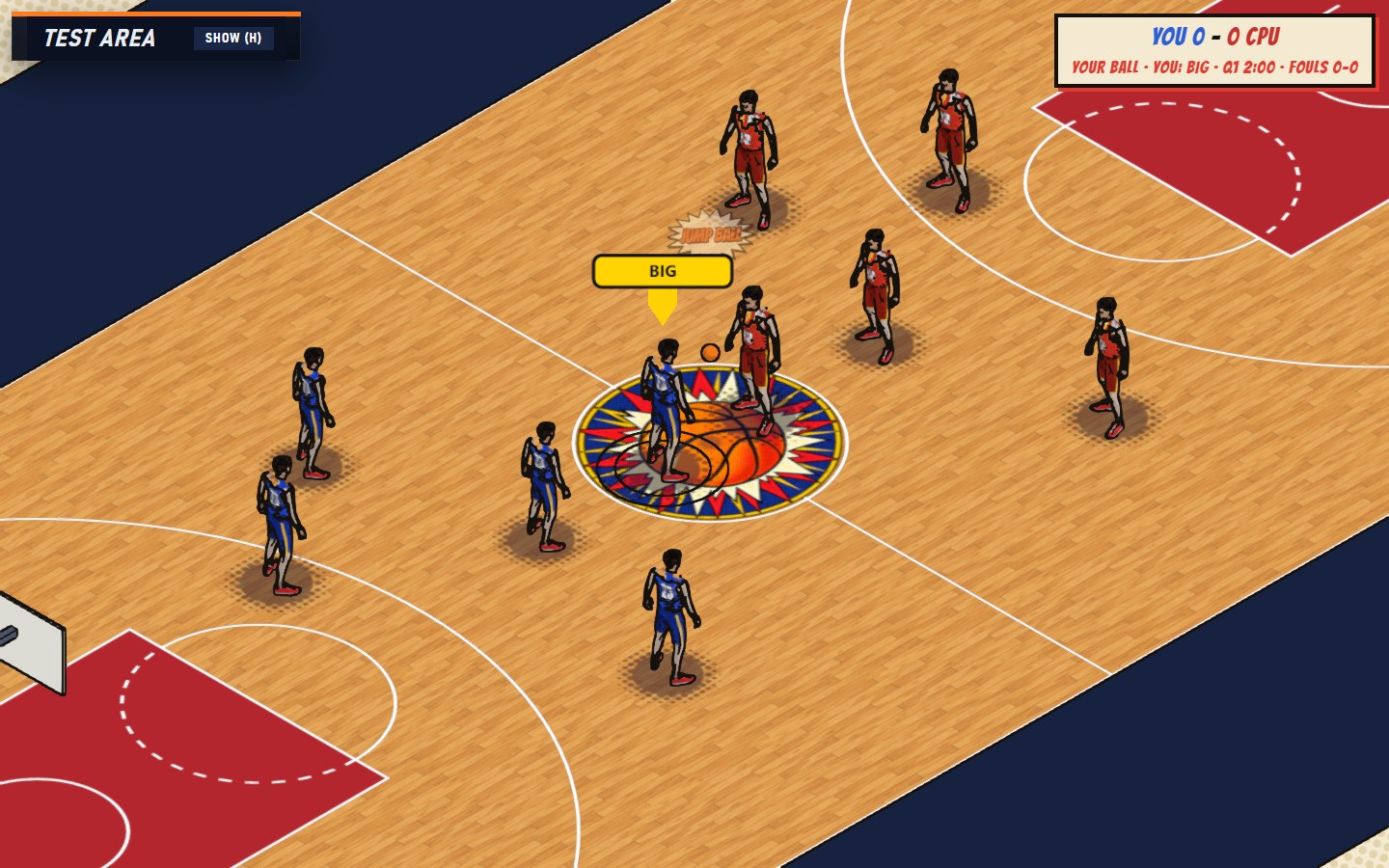
That last number shaped everything. I do not have a GPU on this machine, so I am not building a PS5 game. I am building something that runs in a browser, and the comic style helps: thick outlines and flat colours look deliberate on simple 3D shapes.
Where it went wrong: the moves
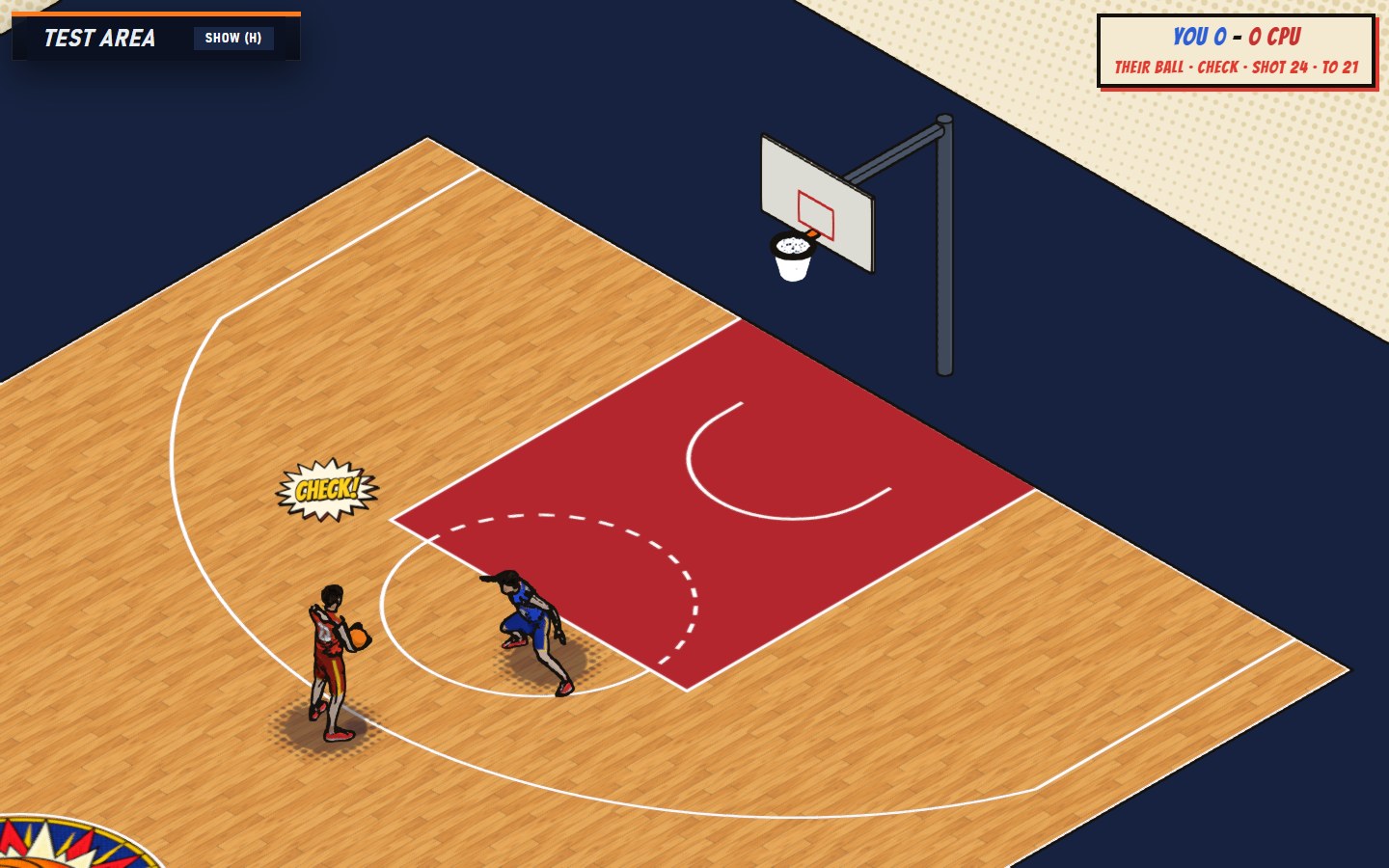
The first players moved badly. A basketball game lives or dies on how a crossover, a spin or a step-back looks, and mine looked stiff. So I went looking for help. I used a free character and animation service, a free motion capture library and an animation pack. Between them I had a whole bunch of different moves.
It still was not working quite right. A move would be technically fine and still look wrong, and I could not always say why. That is a hard place to be, because "it looks off" is not something you can fix.
So I built a movement lab
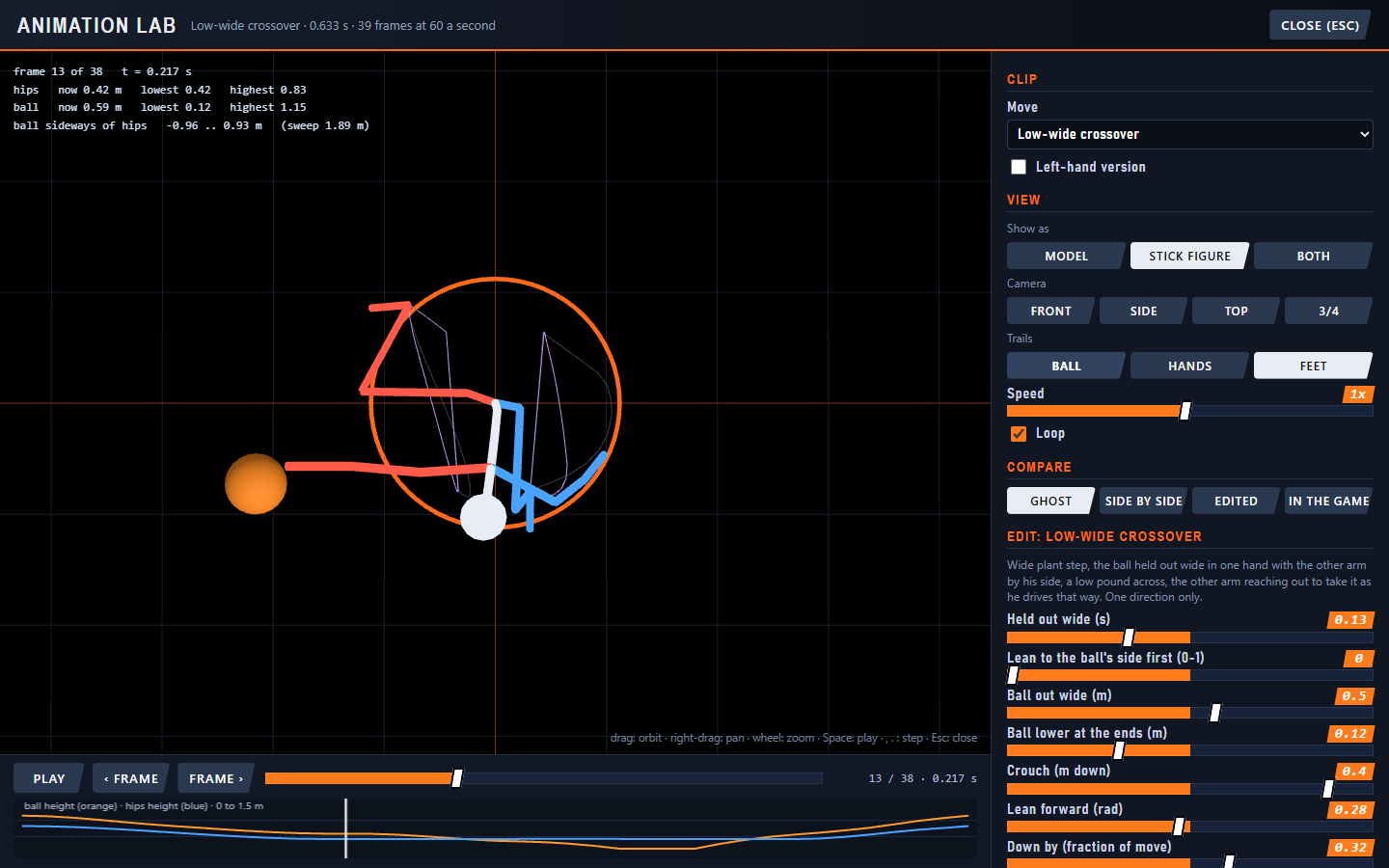
I asked Claude Code to build a tool inside the game where I could see the problem. The result is the Animation Lab, a screen in the main menu. It shows any move as the full character, as a stick figure, or both at once. I can orbit around the player in 3D, step through the move one frame at a time and switch on trails that show where the ball, hands or feet travel.
Friends like Raymond Sun have done this kind of thing with breakdancing. I am doing it for a fun, cartoonish basketball game, but the idea is the same: draw the body as a skeleton so you can see the motion.
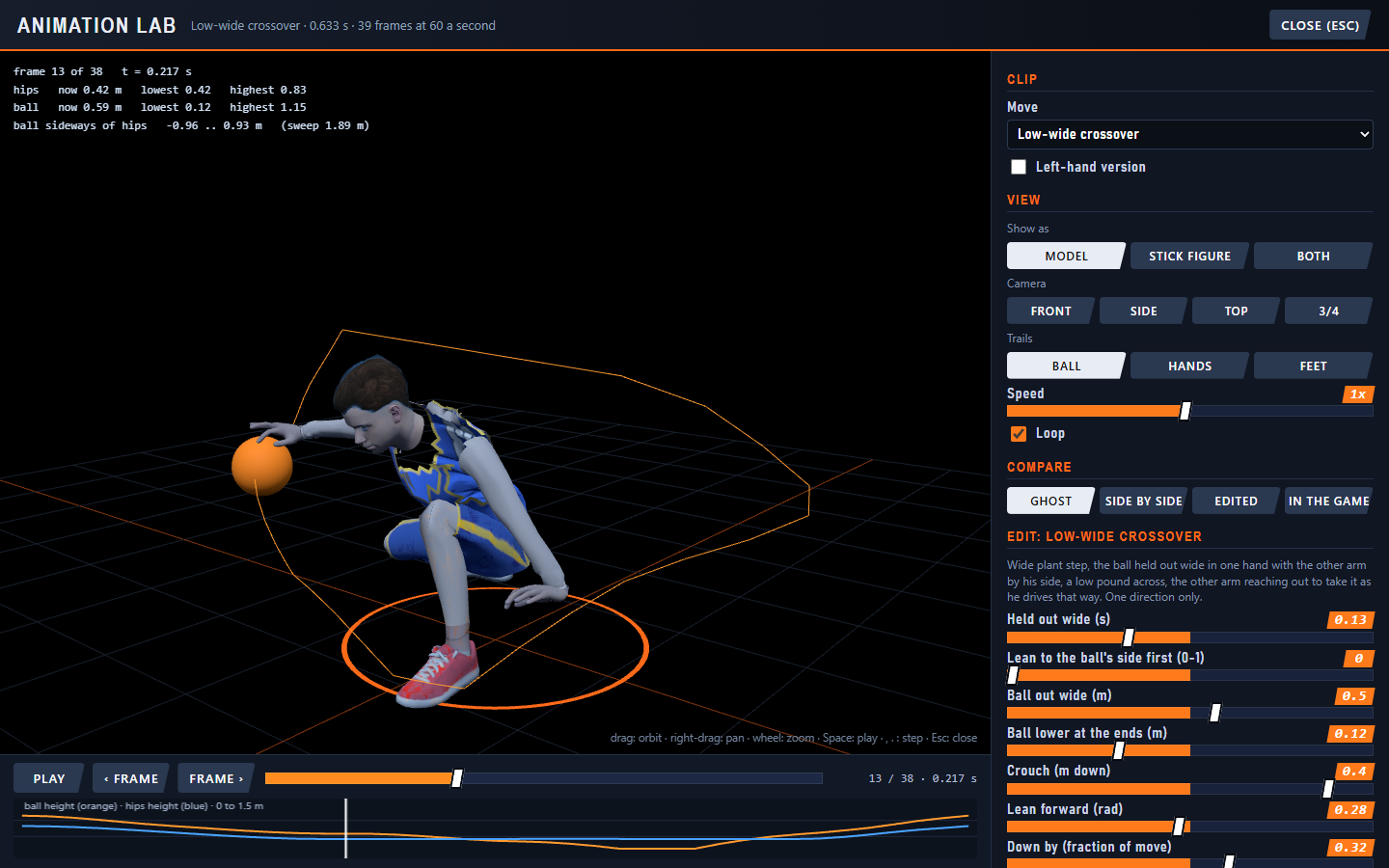
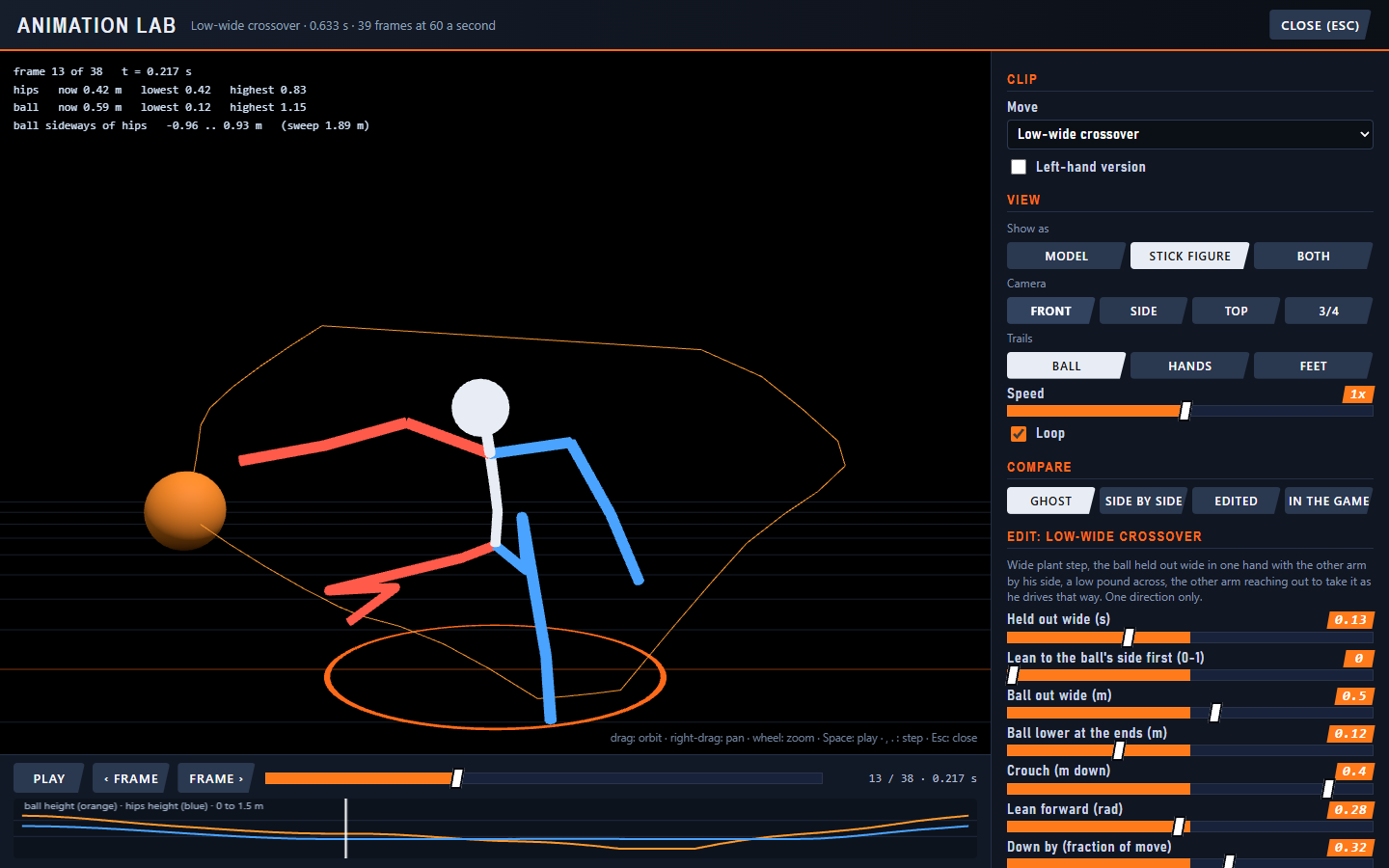
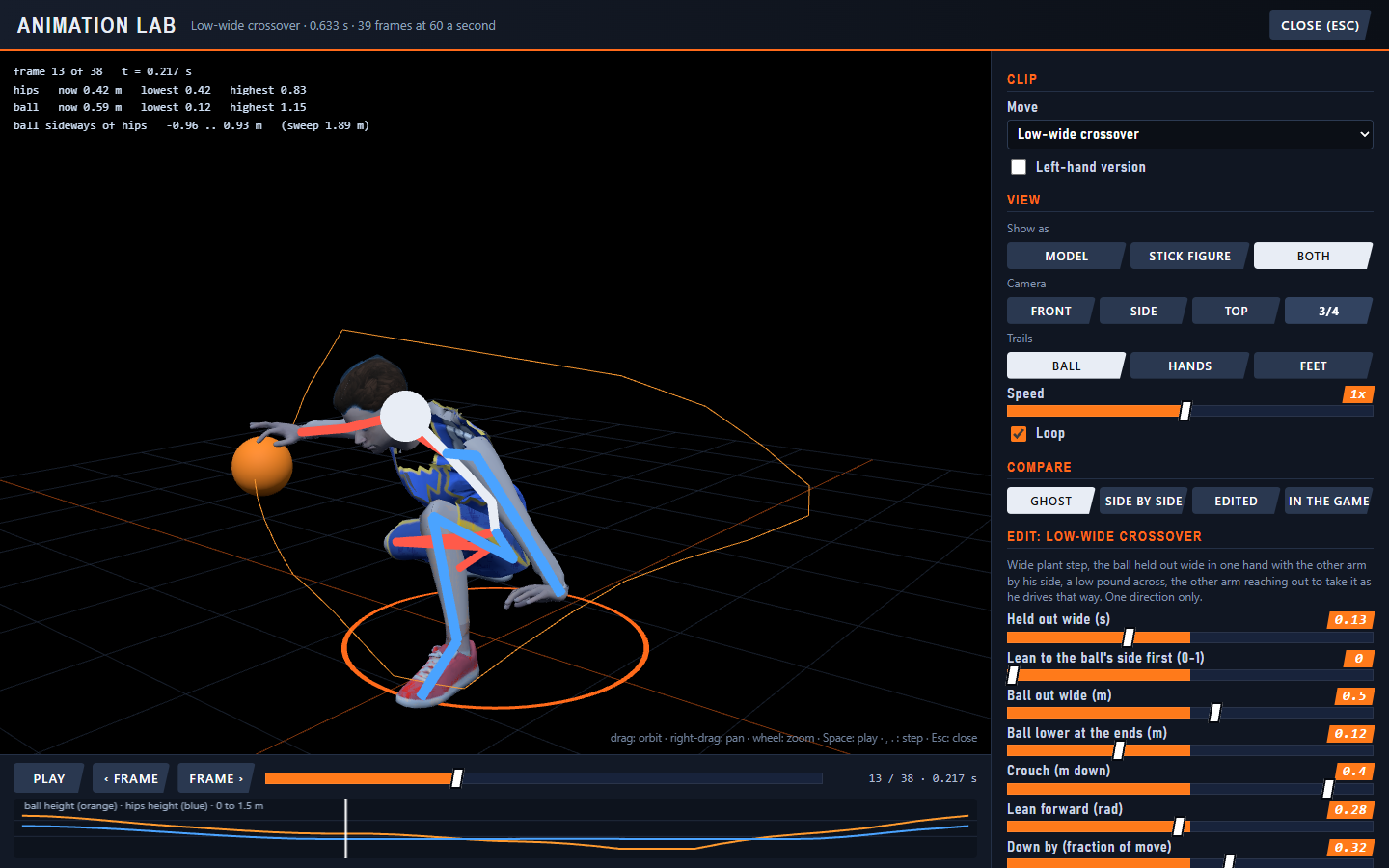
The sliders matter as much as the viewer. Each one is a number behind the move: how low the player crouches, how far the ball goes out wide, how far the body travels across. I change it, the lab rebuilds the move in about fifteen seconds and I can compare it with the version in the game. When I like it, one button rebuilds the real thing.
Three problems the lab made easy to see
1. The crossover was too upright
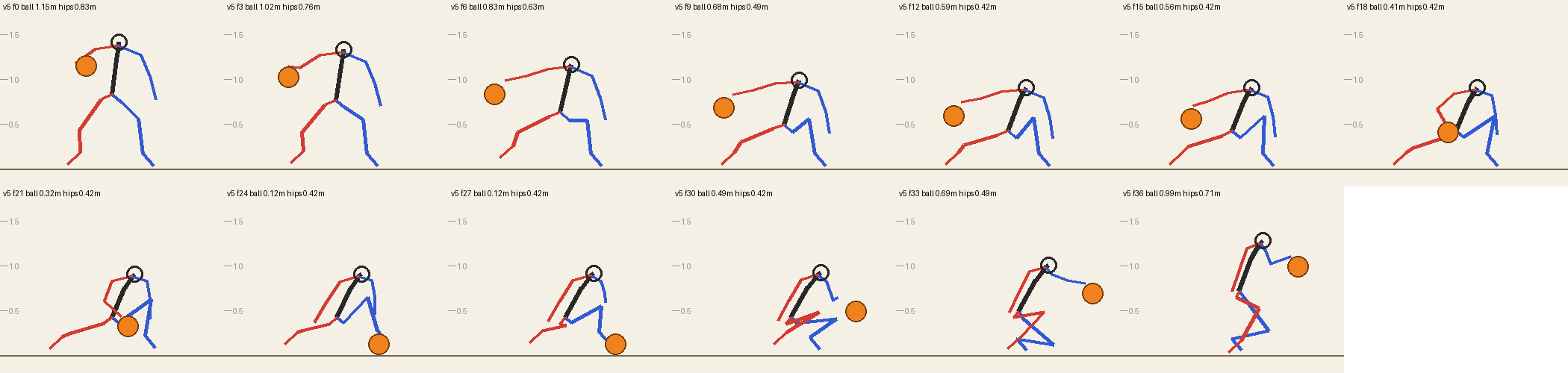
I said the player was not getting low. In the lab it was obvious: the hips barely moved. A crouch slider fixed it, and the low, wide crossover now drops about 40 cm.
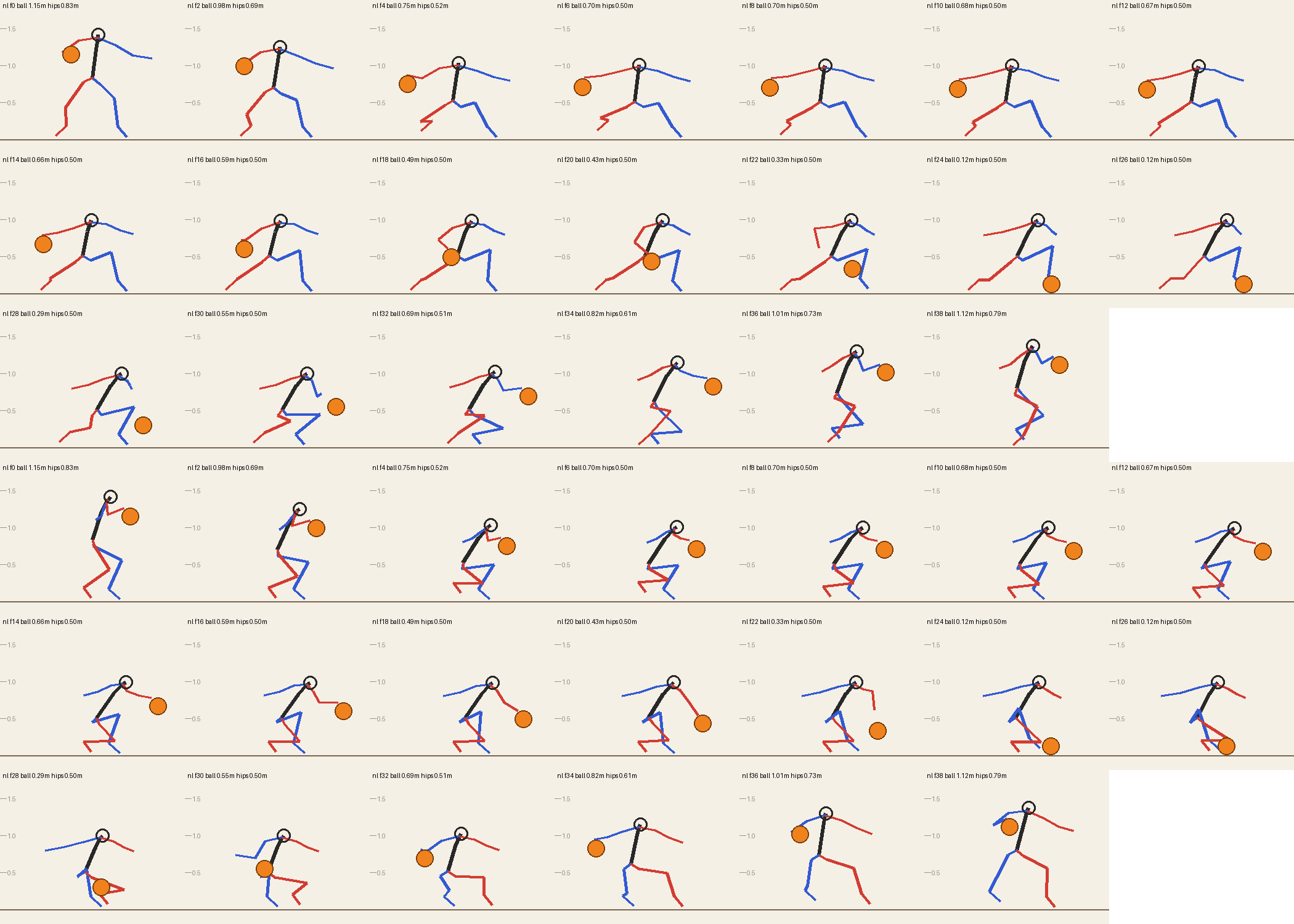
2. The arms made a T
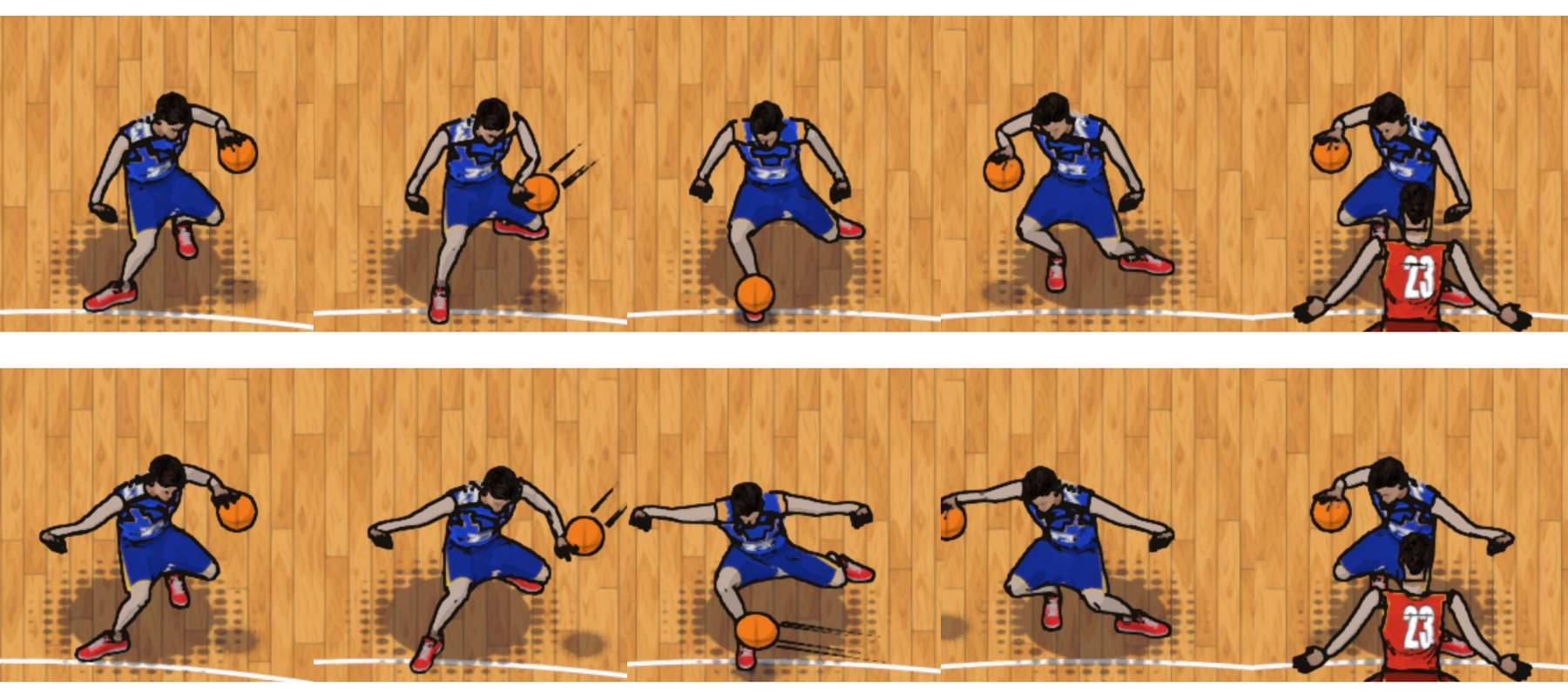
Next I noticed both arms were stuck out wide the whole time, like a letter T. Real players keep one arm with the ball and the other bent by their side, then reach out to take the ball on the other side. The top sheet below is the old version. The bottom is the current one.
3. The player was skating
This was the one I could feel but not explain. When the player changed direction he slid across the floor like he was on skates. His feet were not stepping with the move.
The lab showed the cause. The animation kept the feet nearly still, but the game moved the whole player 90 cm sideways on a smooth curve. So the feet were gliding. I measured it on the animation data: feet that were on the floor were moving at 1.8 to 3 metres per second on average.
The fix was to give each move its own path for the body and make each foot stay where it is until it steps, then step to catch up. The same measurement now says feet on the floor move at about 0.05 metres per second on average.
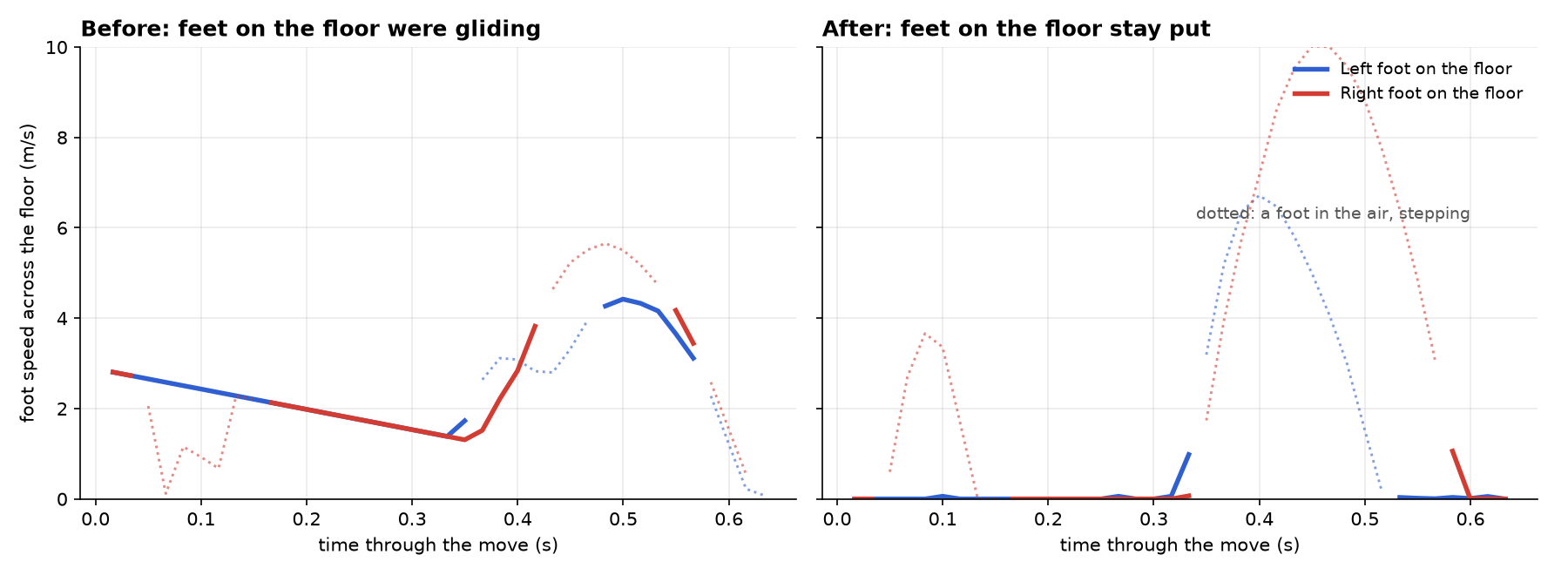
Still not done. The spin move has no footwork yet, so it still glides. A move started at a full run does not use running steps. And I have only checked the new footwork in the data and in the lab so far, not by playing a full game on it.
What I learned
- Say what you see, in plain words. "It looks like a T" and "it looks like skating" were enough. I did not need the technical term, I needed to describe the problem accurately.
- Build a way to see the problem. The lab turned an argument about feel into frames I could point at. If you cannot see it, you cannot fix it.
- Measure it as well as eyeballing it. A number tells you whether a fix worked. It does not replace taste, but it stops you fooling yourself.
- Let tests and a log hold the memory. The project keeps a build log and 194 tests. Early on a computer crash emptied a key file, and it was rebuilt from the record of what had been written. I now keep the project under version control too.
- Constraints help. No graphics card pushed me to the browser and to a comic look, and both turned out to be good choices.
- You still steer. I know what a crossover should look like. The AI does the typing and the maths. Knowing what good looks like is the part that stays with you.
Go build something
This one is just for fun. The same approach works for work and for efficiency, and for things like planning a honeymoon, which is what I am doing right now. There are some really cool things out there. Pick something you care about and start.
AI lets you do that. Let's be positive. Let's be productive out there.
Video transcript
Hey folks, Mark here, and I just wanted to share with you that you can literally just build stuff.
I just came back from a run. While I was running I had the phone in my hand and I was typing things out, which makes the run go faster, and because I have remote on for Claude Code I was giving it instructions.
I am building a cool little game. A couple of things are constraints. I do not have GPUs on this machine, so I am not creating a PS5 type game, but I am creating something that can run in a browser. I am a big fan of the NBA, so I looked at different ways I could create this that actually work.
I got to the part where I thought, well, the moves are not right, so let me download a library that has a whole bunch of different moves. It was still not working quite right. So let us create a movement lab, as you can see further down in the article. It created stick figures of the movements. Some friends like Raymond Sun have done this sort of thing with breakdancing. I am looking to do it to create a fun, cartoonish, comic type basketball game, and to be able to tweak the movements and make it actually work in the app.
Whatever comes to your mind in terms of creating, this is just for fun. You can do the same thing for work, for efficiency, even for things like honeymoon planning, which I am doing right now. There are some really cool things out there. Just go build stuff. AI lets you do that. Let's be positive. Let's be productive out there. Cheers.